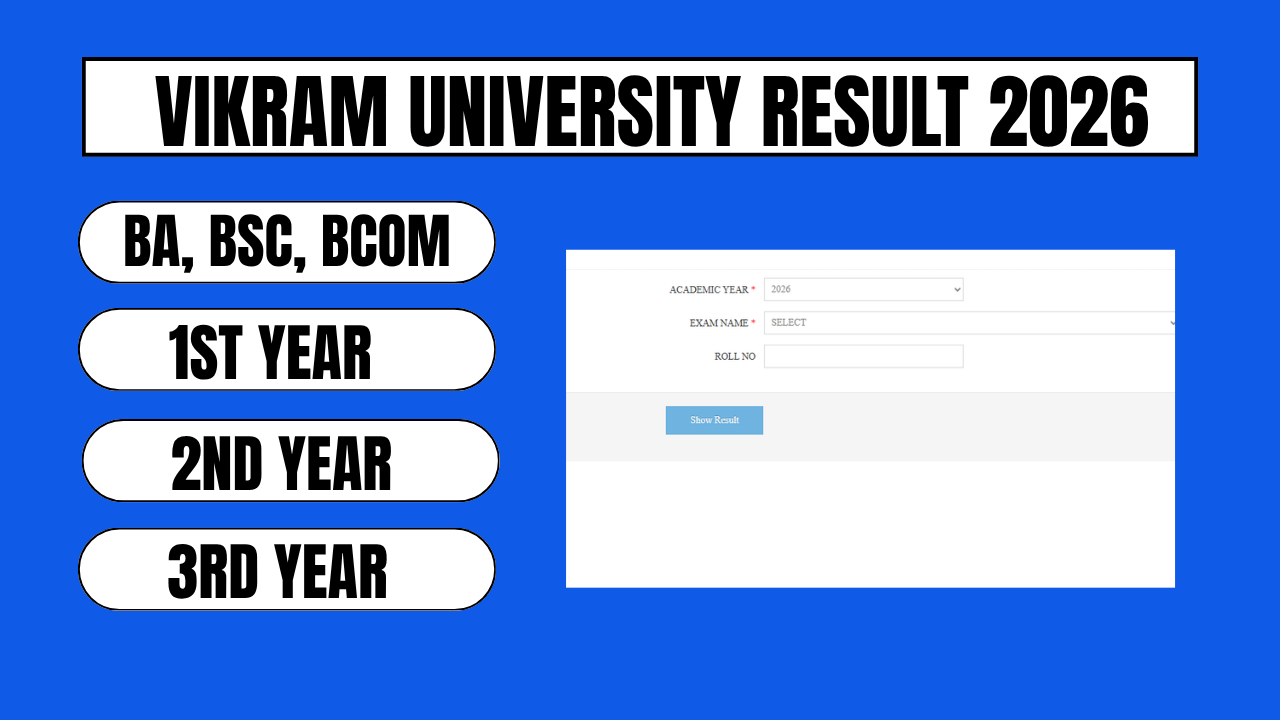
Vikram University, Ujjain now officially known as Samrat Vikramaditya Vishwavidyalaya has declared examination results for its undergraduate BA programs for the 2025-26 academic session. If you appeared for the BA 1st Year, BA 2nd Year, or BA 3rd Year examinations, you can check your result online using your roll number or enrollment number. This guide covers every official portal, the exact steps to download your marksheet, and what to do if your result is delayed, withheld, or incorrect.
| Detail | Information |
|---|---|
| University | Vikram University (Samrat Vikramaditya Vishwavidyalaya), Ujjain |
| Courses | BA 1st Year, BA 2nd Year, BA 3rd Year (regular, ATKT, supplementary) |
| Academic Session | 2025-26 |
| Result Status | Declared (check course-wise status on official portals) |
| Official Result Portals | dept.vikramuniv.ac.in, vikramexam.net, vikuniexam.in |
| Result Mode | Online, roll number/enrollment number based |
| Marksheet Type | Provisional (download as PDF) |
Official Portals to Check Vikram University BA Result 2026
Vikram University does not use a single result portal for every course. Depending on your enrollment year and course pattern, you’ll need to check one of the following:
- dept.vikramuniv.ac.in — For University Teaching Department (UTD) courses, including BA, BSc, BCom, BCA, MA, MCom, and MSc.
- vikramexam.net — For older-pattern and CBCS-based BA, BSc, and BCom results.
- vikuniexam.in — For NEP (National Education Policy) pattern results, covering courses admitted from 2025 onward.
- vikramuniv.ac.in — The main official university website, which links out to all the result portals above and posts official notifications.
- MPOnline — The university partners with MPOnline for several examination-related services, including result access in some cases.
If you’re not sure which portal applies to you, start with the main site, vikramuniv.ac.in, and follow the “Result” link — it will direct you to the correct portal based on your course and admission year.
Step-by-Step: How to Check BA Result 2026 Online
- Visit the official result portal relevant to your course — dept.vikramuniv.ac.in for UTD courses, or vikramexam.net / vikuniexam.in depending on your admission pattern.
- Select “BA Result 2026” from the list of available results on the homepage or results section.
- Choose your year — BA 1st Year, BA 2nd Year, or BA 3rd Year — along with the correct examination session (regular, supplementary, or ATKT, if applicable).
- Enter your roll number or enrollment number in the field provided. Some portals may also ask for your date of birth.
- Complete the captcha verification, if prompted.
- Click “Submit” or “View Result.” Your marksheet will appear on screen, showing subject-wise marks, total marks, and result status.
- Download and save the PDF of your result. This is your provisional marksheet — keep it safe for admission, scholarship, or job application purposes until you receive the original marksheet from the university.
Also read,
- SSC GD New Vacancy 2027
- Gramin Bank Vacancy 2026 21,459 Posts, Salary ₹32,000–₹65,000 Full Details, Eligibility & How to Apply
- Tamil Nadu Grama Bank Vacancy 2026 Apply Online
- IBPS PO Prelims Result 2026
- IBPS PO Prelims Result 2026 OUT
What Your BA Result Will Show
Once your result is displayed, check the following details carefully:
- Your name, roll number, and enrollment number
- Subject-wise theory and practical/internal marks
- Total marks obtained and maximum marks
- Overall result status (Pass, Fail, ATKT, or Compartment)
- Division/grade obtained (First, Second, or Third Division)
If any detail your name, subject codes, or marks appears incorrect, do not ignore it. Report the discrepancy to your college examination department or the university controller of examinations immediately, as errors on a provisional marksheet can delay your final marksheet or degree certificate later.
BA Result Categories: Regular, ATKT & Supplementary
Vikram University typically releases BA results in phases depending on the course pattern and student category:
- Regular Result — For students who appeared in all subjects of their respective year without any backlog.
- ATKT (Allowed to Keep Term) Result — For students carrying forward one or more failed subjects from a previous year while continuing to the next year.
- Supplementary Result — For students who appear in a supplementary examination to clear a specific subject.
Each category may be declared on a different date, so if your regular result is out but you don’t see your ATKT or supplementary marks yet, check back on the same portal after a few days.
Revaluation and Retotaling Process
If you’re not satisfied with your marks in one or more subjects, Vikram University allows students to apply for revaluation (re-checking of the answer script) or retotaling (re-adding of marks already awarded). Here’s what to keep in mind:
- Applications are usually accepted only within a specific window after the result declaration, so apply as soon as possible.
- You’ll need to submit the revaluation form along with the prescribed fee, either online through MPOnline or offline at your college/university examination department, depending on current university guidelines.
- Revaluation results are declared separately and are usually available on the same portals used for the original result.
- Keep your original result printout and application receipt safe until the revaluation outcome is published.
For exact fee amounts and the current application deadline, check the official notification on vikramuniv.ac.in, as these details are updated for every examination cycle.
Downloading Your Final/Original Marksheet
The result you download from the portal is a provisional marksheet, meant for immediate reference and admission purposes. Your original marksheet, issued by the university’s examination department, will need to be collected from your respective college once printed and dispatched by the university. This can take several weeks after the online result declaration, so don’t discard your provisional copy in the meantime.
Frequently Asked Questions
When was the Vikram University BA Result 2026 declared? Vikram University declared BA results for the 2025-26 session in phases across 2026, with UTD, CBCS, and NEP-pattern courses released separately on their respective portals. Check the official portal directly for the exact declaration date relevant to your course and year.
How can I check my Vikram University BA 1st Year result? Visit vikramexam.net or dept.vikramuniv.ac.in, select BA 1st Year from the course list, enter your roll number, and click submit to view your result.
What if my Vikram University BA result is not showing online? This usually means the result for your specific category (regular, ATKT, or supplementary) hasn’t been declared yet, or there’s a discrepancy in your exam form. Wait a few days and try again, or contact your college examination cell.
Is the online BA result a valid document for admission purposes? The downloaded provisional marksheet is generally accepted for admission to the next course or year. However, most institutions will eventually require your original marksheet as well, so retain both once available.
Can I check last year’s Vikram University BA result on the same portal? Yes, older results are archived on vikramexam.net, and you can usually select the relevant academic year from the dropdown menu on that portal.