Tripura University, a Central University located in West Tripura, uses the Samarth e-Governance platform to manage student admissions, academic records, and examination results. If you are a student looking to check your UG, PG, Diploma, or Ph.D. result, understanding how the Samarth Portal works will save you time and help you avoid common login errors. This guide explains everything you need to know about accessing your Tripura University result through the Samarth Portal, step by step.
What Is the Samarth Portal?
Samarth eGov is a government-backed digital platform used by many Indian higher education institutions to handle student services online — from admissions and fee payments to examination results and academic records. Tripura University has integrated its result declaration system with Samarth, meaning many results are no longer published only as static PDF lists but are instead accessible through individual student logins on the Samarth portal.
Each institution using Samarth typically gets its own dedicated web address, generally following a pattern like [institute-code].samarth.edu.in. For Tripura University, the dedicated student portal link is the official gateway for checking results, managing enrollment details, and viewing academic history.
Why Tripura University Uses Samarth for Results
Traditionally, universities uploaded results as downloadable PDFs on their main website. While Tripura University still does this for many exams, an increasing number of results — especially recent semester exams — are shared exclusively through the Samarth portal login system. This shift offers several benefits:
- Personalized access: Students see only their own result after logging in with enrollment credentials, improving data privacy.
- Centralized record-keeping: All academic data, including results, admission details, and enrollment status, stays in one place.
- Reduced errors: Automated result generation through the portal reduces manual entry mistakes common with PDF-based publishing.
- Faster updates: Once processed, results can be pushed live on the portal without waiting for a separate PDF upload cycle.
How to Check Tripura University Result on Samarth Portal
Follow these steps to check your result:
- Visit the official Tripura University website (tripurauniv.ac.in) and go to the “Results” section, or directly open the Samarth student portal for Tripura University.
- Look for the result listing relevant to your course, semester, and exam year on the university’s results page.
- Identify the type of link next to your result. Tripura University generally uses three types of buttons on its results page:
- View — opens a PDF list of students along with their marks and pass/fail/re-appear status. No login is required.
- Search Result — requires you to search using your roll number or enrollment number to view your scorecard.
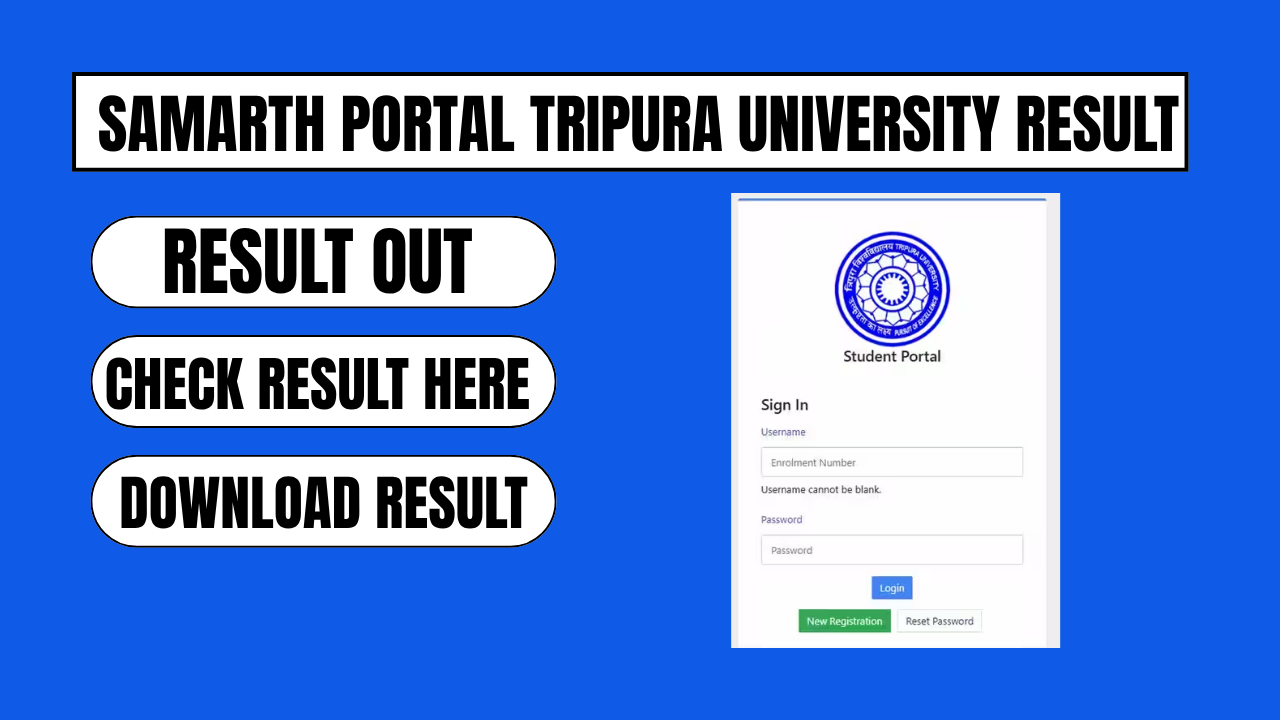
- External Link — redirects you to the Samarth portal, where you must log in with your enrollment number and password to view your result.
- If redirected to Samarth, enter your registered enrollment number and password on the login screen.
- Navigate to your student profile once logged in, then locate the result or academic records section.
- Open and download your result for your records. It’s a good idea to save a PDF copy or take a screenshot for future reference.
What to Do If You Face Login Issues
If you’re unable to log in to the Samarth portal, try these troubleshooting steps:
- Reset your password using the “Reset Password” option available on the Samarth login page if you’ve forgotten your credentials.
- Check your enrollment number format — errors often occur due to incorrect spacing or missing digits.
- Clear browser cache or try a different browser if the page fails to load properly.
- Contact the university’s examination cell directly if your credentials are not working even after a password reset, since new students sometimes need their login activated manually.
- Avoid peak traffic hours immediately after a result announcement, as heavy server load can slow down access.
Information Typically Available on Your Scorecard
Once you access your result, your Tripura University scorecard usually includes:
- Student name and enrollment/roll number
- Course and semester details
- Subject-wise marks or grades
- Overall result status (Pass, Fail, or Re-appear)
- SGPA/CGPA, where applicable
- Remarks on backlog papers or re-evaluation eligibility, if relevant
Re-evaluation and Re-checking of Results
If you believe there has been an error in your evaluation, Tripura University generally allows students to apply for re-evaluation or rechecking within a specified window after result declaration. It’s important to check your result promptly so you don’t miss these deadlines. Details about the re-evaluation process, applicable fees, and submission deadlines are usually published alongside the result notification on the university website.
Tips for a Smooth Result-Checking Experience
- Bookmark the official Tripura University website and the Samarth student portal link to avoid relying on third-party sites, which may host outdated or incorrect information.
- Keep your enrollment number and Samarth login password saved securely, as you’ll need them for admissions, results, and other academic services throughout your course.
- Check the university’s official notifications page regularly during exam season, since result declaration dates can shift.
- Cross-verify any result shared on social media or unofficial forums with the official portal before treating it as final.
Frequently Asked Questions
Is the Samarth portal the only place to check Tripura University results? No. Some results are still published directly as PDFs on the main Tripura University website and don’t require a Samarth login. However, an increasing number of recent results are accessible only through the Samarth student portal.
What should I do if my result is not showing on the portal? Wait a few hours, as results may still be processing or the server may be under heavy load right after declaration. If the issue persists after a day, contact the examination department of the university.
Can I access the Samarth portal on mobile? Yes, the Samarth portal is web-based and works on mobile browsers, though using a desktop or laptop may offer a smoother experience for downloading PDF scorecards.
Do I need to pay any fee to check my result? No, checking your result on the official Tripura University website or Samarth portal is free of cost.