Gujarat Technological University (GTU) is one of the largest technical universities in India, and every year lakhs of diploma engineering students wait for their semester results to be declared on the official portal. If you are a Diploma student searching for your GTU Semester 6 or GTU Semester 2 result for 2026, this guide covers everything you need result dates, official links, step-by-step checking instructions, grading rules, and what to do if you’re not satisfied with your marks.
GTU conducts diploma examinations twice a year:
- Summer Session (May exams): Covers even semesters — Semester 2, 4, and 6. Results are usually declared between June and July.
- Winter Session (December exams): Covers odd semesters — Semester 1, 3, and 5. Results are typically declared between January and April.
For the 2026 academic cycle, GTU declared the Diploma Semester 6 Regular result (May 2026 exam) on 10 July 2026, along with the BCA Semester 3 Remedial result for the same session. Students could check subject-wise marks, SPI, and overall result status by logging in with their enrollment number and seat number on the official portal. The window for applying for online recheck or reassessment closed on 13 July 2026, so students are advised to keep an eye on similar short deadlines for future result declarations.
Diploma Semester 2 results, which fall under exams held earlier in the year, are generally released in phases as part of the summer session alongside Semester 4 and Semester 6 results. Because GTU stages its result declarations by branch and college, it’s common for Semester 2 results to appear a few days before or after Semester 6, so students should check the official result page regularly rather than relying on a single fixed date.
Where to Check GTU Diploma Sem 6 and Sem 2 Result 2026
You can check your result through either of these official channels:
- Official GTU website: gtu.ac.in → Results section
- Dedicated result portal: gturesults.in
Both portals are maintained by the university, so results appearing on either site are equally valid. Avoid third-party websites that ask for extra personal details beyond your enrollment number, seat number, and captcha code.
Step-by-Step: How to Check GTU Diploma Result 2026
- Visit the official website gtu.ac.in and click on the “Results” tab on the homepage.
- Select the relevant exam session — for example, “Summer 2026 Results” for Semester 2 and Semester 6, or “Winter 2025 Results” if you’re checking an earlier semester.
- From the list, locate your course — “Diploma Sem 6” or “Diploma Sem 2” — and click on the corresponding result link.
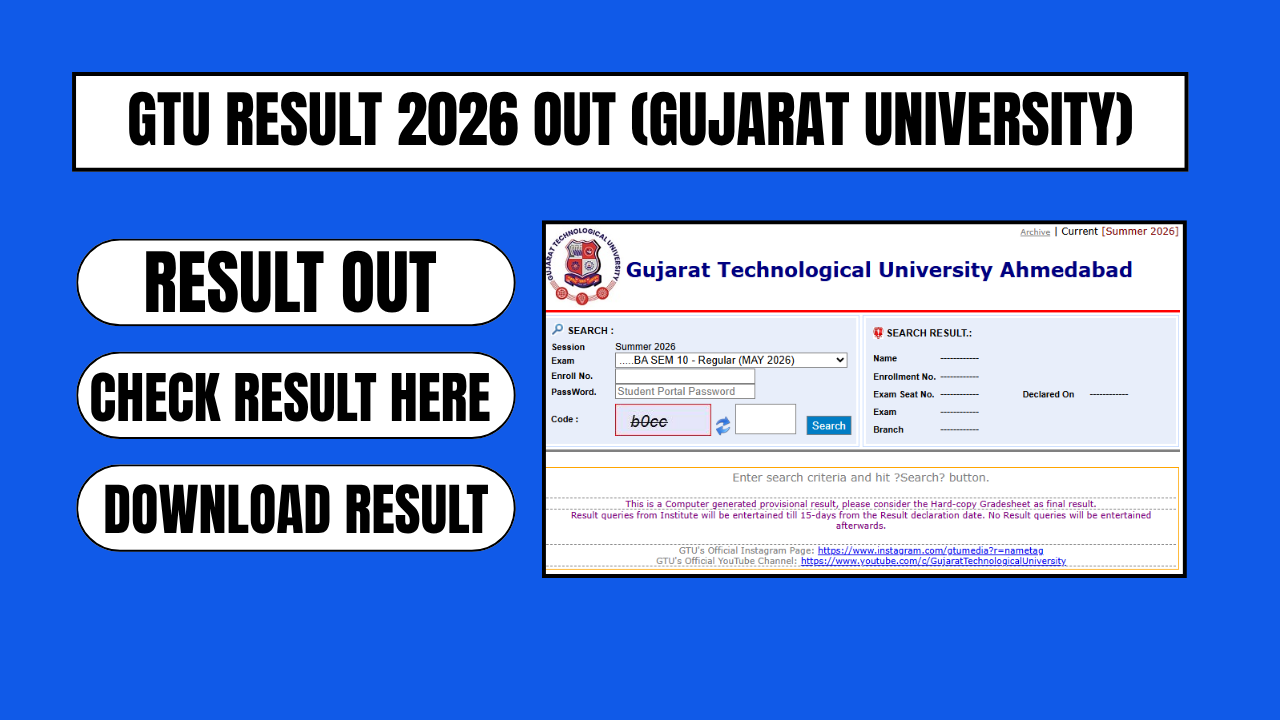
- You’ll be redirected to the result server (gturesults.in).
- Enter your Enrollment Number, and where required, your Student Portal Password and the Captcha Code shown on screen.
- Click submit to view your subject-wise marks, SPI/CGPA, and overall result status.
- Download and save the result PDF for future reference — this provisional result is useful for admissions, job applications, and record-keeping until your official marksheet is issued by your institute.
GTU Grading System and Passing Criteria
GTU follows a credit-based grading system for diploma courses. A few key points students should know:
- Students generally need a minimum of 35% marks in each subject, calculated by combining internal (mid-semester) and external (final theory) marks, to be declared pass.
- The percentage equivalent of CGPA is calculated using the formula: Percentage = (CGPA − 0.5) × 10.
- Results published online are provisional. The final, official marksheet is issued through your respective institute.
Passing percentage requirements can vary slightly depending on the specific diploma branch, so it’s worth confirming exact subject-wise requirements with your college’s examination cell if you’re unsure.
What If You Get an FF or NP Grade?
If any subject shows an FF (Fail) or NP (Not Passed) grade, don’t panic — this is common and GTU provides a remedial (backlog) exam pathway. Here’s what to do:
- Watch for the next remedial exam schedule and application notification on gtu.ac.in.
- Register for the remedial exam within the announced window to clear your pending subject(s).
- Keep your enrollment details and previous marksheets handy when applying.
How to Apply for Recheck or Reassessment
If you believe there’s an error in your marks or you want your answer sheet reassessed, GTU allows a short window — usually within 15 days of result declaration, though for some result cycles this window can be as short as 3 days, so check the specific notification for your semester. Here’s the general process:
- Log in to the GTU student portal using your credentials.
- Select the revaluation/reassessment option.
- Choose the subject(s) you want rechecked.
- Pay the prescribed recheck fee per subject.
- Submit the application before the deadline.
Missing this window usually means you’ll have to wait for the next remedial exam cycle instead.
Documents and Details on Your GTU Marksheet
Once your result is declared, your GTU scorecard/marksheet will typically include:
- Your name, enrollment number, and seat number
- Semester and course/branch details
- Subject-wise marks (internal + external)
- SPI (Semester Performance Index) and CGPA
- Overall pass/fail status and grade
Always cross-check these details as soon as your result is out, and contact your institute’s examination cell promptly if you spot any discrepancy in your personal or academic information.
Frequently Asked Questions (FAQs)
Q1. When was the GTU Diploma Semester 6 result for 2026 declared? A. The GTU Diploma Semester 6 Regular result for the May 2026 exam session was declared on 10 July 2026.
Q2. When is the GTU Diploma Semester 2 result usually declared? A. Semester 2 falls under the summer exam session and is typically released in phases around the same period as Semester 4 and Semester 6 results, though exact dates vary by branch and college.
Q3. What is the minimum passing percentage for GTU diploma students? A. Students generally need at least 35% marks in each subject (combining internal and external marks) to pass, though this can vary slightly by course.
Q4. Is the online GTU result final? A. No. The result published online is provisional. Your official marksheet is issued separately by your institute.
Q5. How long do I have to apply for recheck after my result is declared? A. The window varies by result cycle — it can range from a few days to about 15 days from the declaration date. Always check the specific notification for your semester’s exact deadline.
Q6. What should I do if I get an FF/NP grade in a subject? A. Watch for the next remedial exam notification on gtu.ac.in and register within the given window to clear the subject.